Adding Pinned Posts, Sort, and Search to the Blog Page
What I Built
The blog listing page was a flat, static list of posts. No way to pin important content, no search, no sort control. I upgraded it to support pinned posts, newest/oldest sort toggling, and a search filter — starting from an ASCII wireframe and running into a fun Next.js gotcha along the way.
The Problem
With three posts live, a flat reverse-chronological list was fine. But the introductory post — "What is Porter Intelligent Systems?" — kept getting pushed down as new content went up. Visitors landing on /blog would see the latest dev log first, with no context about what this site even is.
I wanted three things:
- Pinned posts — a dedicated section at the top for evergreen content
- Sort toggle — newest or oldest first, because sometimes you want to read chronologically
- Search — filter by title or tag as the post count grows
Simple features, but they touch the architecture in interesting ways when you're working with Next.js App Router.
How I Built It
Starting with the wireframe
Before writing any code, I opened mockdown.design and sketched the layout as ASCII art. Mockdown is a browser-based tool for creating wireframes using text characters — boxes, dividers, labels. It forces you to think about structure and hierarchy without getting distracted by colors or spacing.
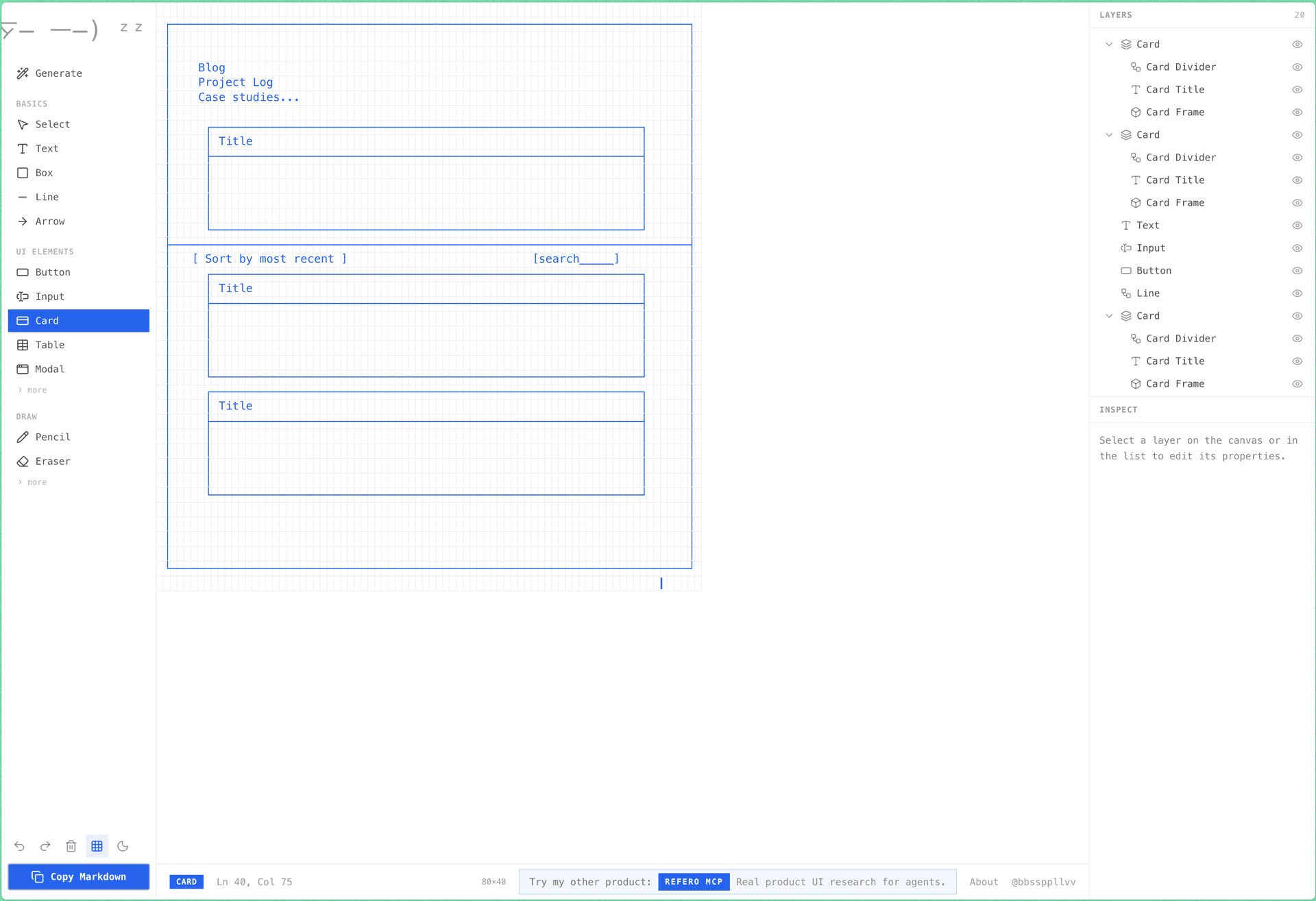
The wireframe showed a pinned section at the top, a horizontal divider, then the toolbar (sort toggle + search input) above the main post list. Having this as a visual spec meant I could hand it directly to the implementation — no ambiguity about where things go.
Adding the pinned frontmatter field
The simplest possible approach: a pinned: true boolean in MDX frontmatter.
---
title: "What is Porter Intelligent Systems?"
date: "2026-03-14T08:00:00"
pinned: true
---
I considered a numeric priority system (pin_order: 1, pin_order: 2) but rejected it. This site has a handful of posts. One boolean is enough. If I ever need multiple pinned posts with ordering, I'll add it then.
The server/client split
Here's where it gets architectural. The original page.tsx was a server component — it called getPublishedPosts() (which reads MDX files from disk using Node's fs module) and rendered the list directly. Clean and simple.
But sort toggling and search filtering need useState. That means a client component. And client components can't use fs.
The fix was a clean extraction. page.tsx stays as a thin server shell:
// src/app/blog/page.tsx (server component, hero/header omitted)
export default function BlogPage() {
  const posts = getPublishedPosts();
  return <BlogList posts={posts} />;
}
All the interactivity lives in a new BlogList.tsx client component:
// src/components/blog/BlogList.tsx
"use client";

import { useState } from "react";
import type { BlogPostMeta } from "@/lib/blog";

export default function BlogList({ posts }: { posts: BlogPostMeta[] }) {
  const [sortDir, setSortDir] = useState<"desc" | "asc">("desc");
  const [query, setQuery] = useState("");
  // ... filtering, sorting, rendering
}
Note the import type — that's important. It imports only the TypeScript type from blog.ts, which gets erased at compile time. No runtime dependency on the fs-heavy module.
The fs module gotcha
This is the part that bit me. I had a formatDate() helper sitting in blog.ts alongside the post-loading functions. When BlogList.tsx imported it, the build exploded:
Module not found: Can't resolve 'fs'
The issue: even though BlogList only imported formatDate (which doesn't use fs), the bundler pulled in the entire blog.ts module — including the top-level import fs from "fs". Client bundles can't include Node.js built-ins.
The fix was straightforward. I moved formatDate to its own file:
// src/lib/format.ts
export function formatDate(date: string): string {
  return date.slice(0, 10);
}
No fs import in this module, so the client bundle stays clean. A small thing, but the kind of gotcha that can eat 20 minutes if you're not thinking about module boundaries.
Sort and search
The implementation is straightforward React state management. Pinned posts get separated first, then the remaining posts are filtered and sorted:
const pinnedPosts = posts.filter((p) => p.pinned);
const regularPosts = posts.filter((p) => !p.pinned);

const filtered = regularPosts.filter((post) => {
  if (!query) return true;
  const q = query.toLowerCase();
  return (
    post.title.toLowerCase().includes(q) ||
    post.tags.some((tag) => tag.toLowerCase().includes(q))
  );
});

const sorted = [...filtered].sort((a, b) => {
  const cmp = b.date.localeCompare(a.date);
  return sortDir === "desc" ? cmp : -cmp;
});
One design decision: pinned posts are always visible regardless of search query or sort direction. They're pinned for a reason — they sit at the top in their original order, exempt from both filtering and sorting.
Same-date sorting
A minor but annoying issue: all three posts had the date 2026-03-14. JavaScript's string comparison returned 0 for all of them, so the sort order depended on whichever order fs.readdirSync returned them, which isn't guaranteed to be consistent.
I added time components to each post's frontmatter for tie-breaking:
date: "2026-03-14T08:00:00"   # intro post
date: "2026-03-14T12:00:00"   # contact form post
date: "2026-03-14T16:00:00"   # analytics post
formatDate still renders these as 2026-03-14 — the time component is invisible to readers but gives deterministic ordering.
The Result
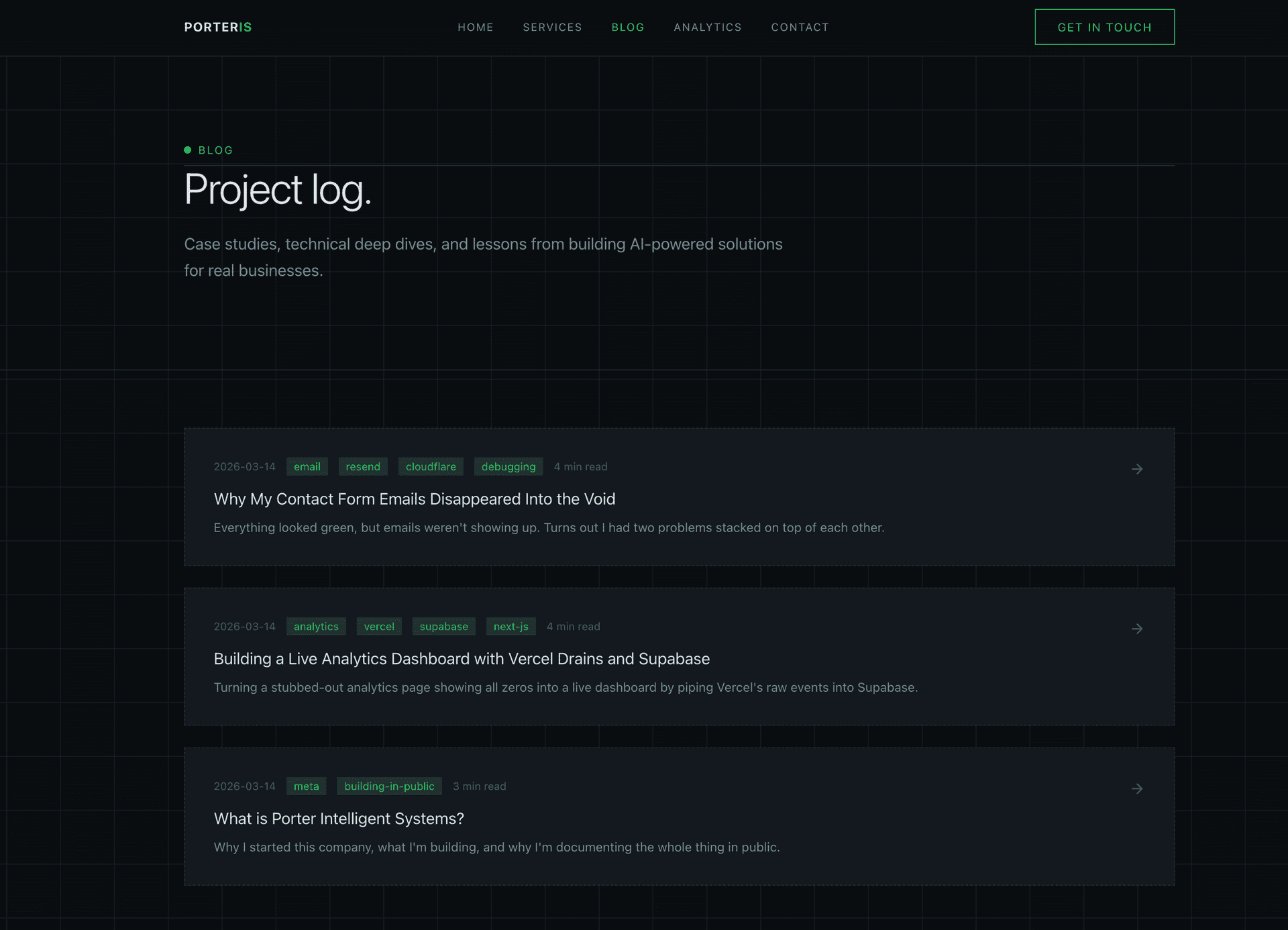
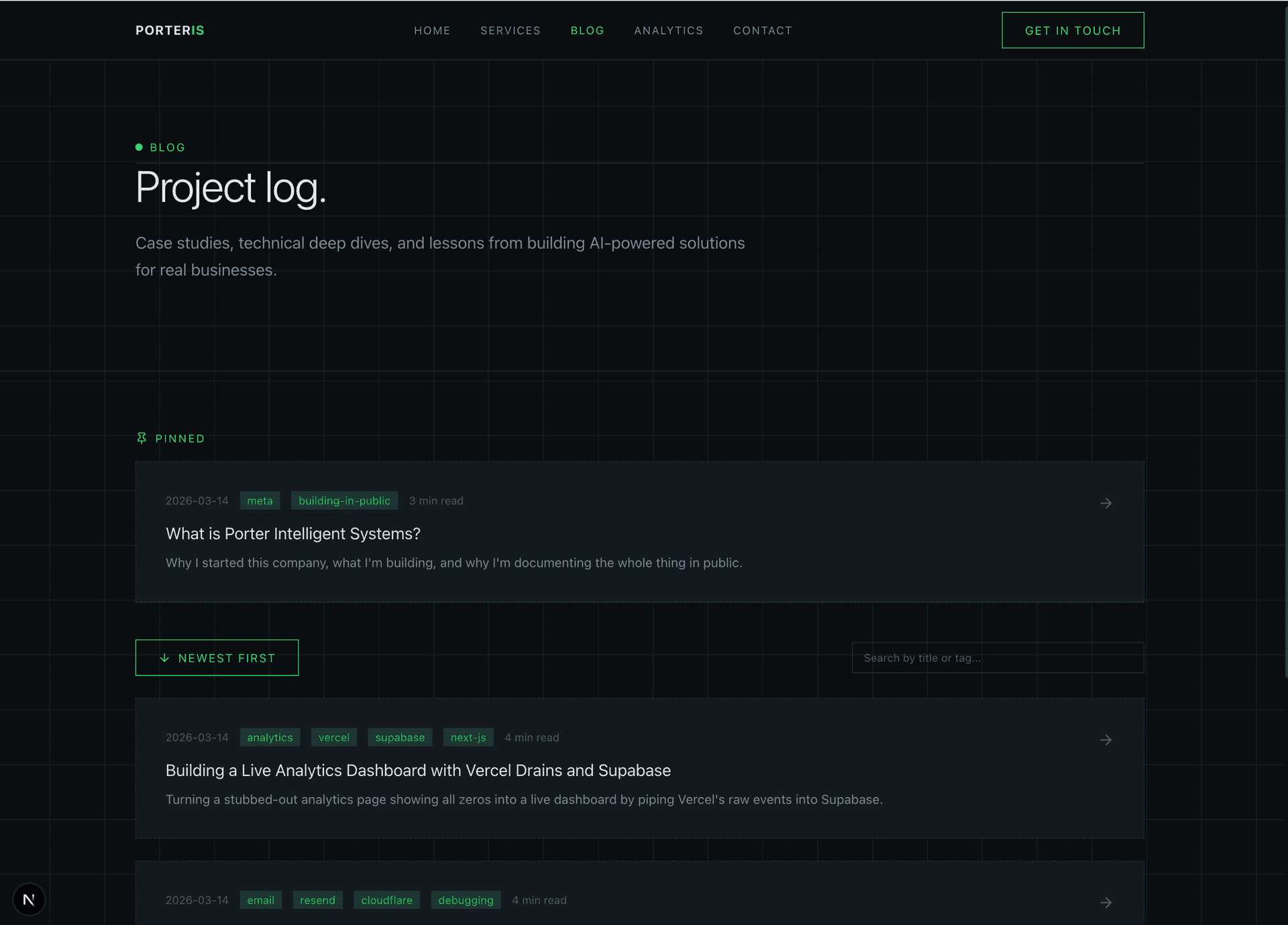
The intro post now sits in a dedicated pinned section at the top. Below the divider, the toolbar gives you sort control and a search input. The search filters on both title and tags, so typing "vercel" surfaces the analytics dashboard post.
The whole thing is fast — there's no API call or database query. The server fetches all posts at build time, passes them as props, and the client does the filtering in memory. For a site with a handful of posts, this is the right trade-off between simplicity and performance.
What I Learned
Wireframe first, code second. Using mockdown.design to sketch the layout before touching any code saved me from the usual cycle of "build something, stare at it, rearrange everything." The ASCII wireframe was the spec. Implementation matched it exactly.
Respect the module boundary. The fs gotcha is a classic Next.js App Router trap. Any file that touches Node.js APIs is off-limits to client components — even if you only import a pure function from that file. Keep your client-safe utilities in separate modules.
Start simple. A boolean pinned field. A single formatDate function in its own file. No priority system, no debounced search, no URL-synced filter state. These features serve a site with a handful of posts. When the constraints change, the code can change too.